
Animated GIF when available
Save a GIF file when the public Pin exposes an animated GIF asset.
Paste a link to a public animated Pin to check for an available GIF or video file. Preview the source media and save it in your browser; the original format is preserved.
Copy a public animated Pin link, check which file is available, and save it in your browser.
Open the public animated Pin and copy its share link.
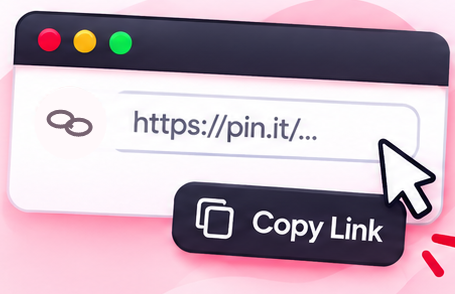
Paste the Pin URL or pin.it link into the box above.
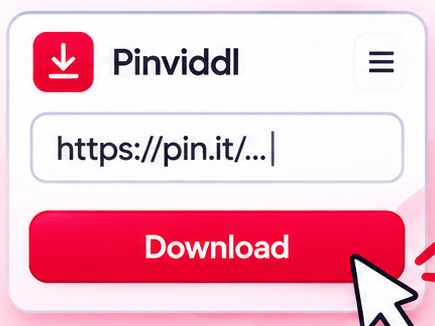
Check whether the available file is a GIF or MP4, then save it.
Save a GIF file when the public Pin exposes an animated GIF asset.
Some animated Pins expose a video file, such as MP4, instead of a GIF.
Check the animation and file type before starting a download.
Use the downloader in your browser without payment or Pinterest sign-in.
Pinviddl saves the available source file as provided.
Choose a different tool if the Pin contains a still image or video.
Check a public video Pin for an available MP4 file.
Open Video Downloader
View available image files and dimensions before saving.
Open Image Downloader
Start from the homepage to choose a downloader for your Pin.
View All Tools
An animated Pin may expose a GIF, a video file, or only a still preview. Pinviddl lists direct media it can access and keeps the source format.
If the public Pin exposes an animated GIF file, Pinviddl can save it with its animation intact. The file is delivered as provided.
An animated Pin may be served as MP4, MOV, or WebM video. Pinviddl labels the file type and does not convert it into a GIF.
Some Pins expose a still cover separately from the moving media. If only the cover is available, Pinviddl cannot recreate the animation from it.
Copy the link from the specific animated Pin. A pin.it share link works if it opens one public Pin; board, profile, and search links are not supported.
A GIF is an image file that can contain animation; MP4, MOV, and WebM are video formats. Check the file label before saving. Pinviddl does not convert between them, so if only video is available, it remains a video.
Downloads usually appear in your browser’s Downloads list. On a phone, check the browser’s download menu or the Files app. Whether a GIF animates when opened depends on the app’s format support.
A public Pin is not automatically free to repost. Save your own content or material you are authorized to use. Read Pinterest’s copyright guidance.
Answers about animated GIFs, video alternatives, mobile downloads, and unavailable files.
Copy the link to one public animated Pin, paste it into Pinviddl, and choose Download. Preview the available media, check its file type, and save it in your browser.
The file type depends on the public Pin. Pinviddl can save an animated GIF when one is exposed, or a direct video file such as MP4, MOV, or WebM. It keeps the source format.
No. Pinviddl saves the direct media file it can access and does not convert between GIF and video formats.
The still may be the only media file publicly exposed by the Pin, or the animation may not have a direct downloadable file. Pinviddl cannot recreate motion from a cover image.
Yes. Paste a pin.it link if it opens one public Pinterest Pin. Links to boards, profiles, and search results are not supported.
No. Pinviddl works with publicly accessible Pins and does not bypass private boards or sign-in restrictions.
Yes. Open Pinviddl in your mobile browser, paste the public Pin link, and choose Download. Check the browser’s Downloads list or your device’s Files app for the saved file.
Yes. Pinviddl is free to use, and you do not need a Pinterest sign-in or Pinviddl account. The tool can only check Pins that are publicly accessible.
A public Pin is not automatically free to repost or reuse. Download content you own or have permission to use, and check with the copyright holder when needed. See Pinterest’s copyright guidance.