
MP4 and other direct files
A public Pin may provide MP4, MOV, or WebM. The file options depend on the source.
Paste a link to a public video Pin to check for an MP4, MOV, or WebM file. Preview available video and save it in the format provided by the source.
Copy a public video Pin link, paste it into Pinviddl, and save the file when one is available.
Open the public video Pin and copy its share link.
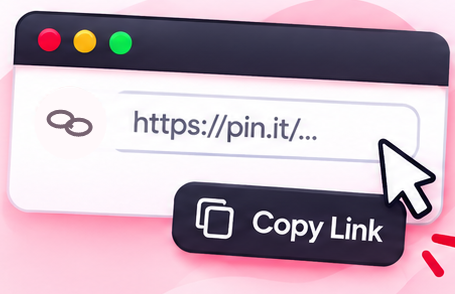
Paste the Pin URL or pin.it link into the box above.
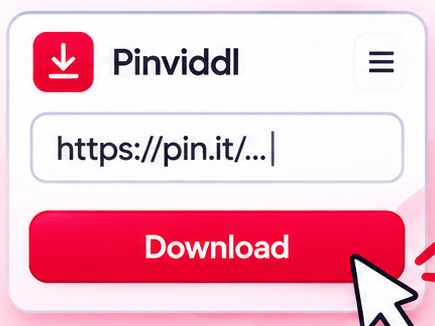
Preview the available video, then choose Download.
A public Pin may provide MP4, MOV, or WebM. The file options depend on the source.
Check the video preview and available file details before starting a download.
Use the tool in your browser without a subscription or Pinterest sign-in.
Paste a public Pin link from a phone or computer browser.
Private, restricted, or stream-only Pins may not provide a downloadable MP4.
Choose another tool if your Pin contains an image or animation instead.
View available image files and dimensions before saving.
Open Image Downloader
Check an animated Pin for an available GIF or MP4 file.
Open GIF Downloader
Start from the homepage to choose a downloader for your Pin.
View All Tools
The downloader checks one public Pin link and lists direct video files it can access. The Pin determines which formats and quality are available.
Paste a full Pinterest Pin URL or a pin.it share link that opens one public Pin. Links to boards, profiles, and search results do not identify a single video.
A Pin may expose an MP4, MOV, or WebM file. Pinviddl shows file details when available and does not convert or re-encode the video.
Private, deleted, restricted, or stream-only Pins may not expose a downloadable video file. Pinviddl does not bypass access controls.
Open Pinviddl in your browser, copy a public video's Pin link from Pinterest, paste it into the box, and choose Download. If your browser asks, confirm where to save the file. On iPhone or Android, check the browser's downloads list or the device's Files app.
Paste the individual Pin URL or supported pin.it link, review the preview and format, then download the file. Most browsers show it in the Downloads list; the saved location depends on your browser settings.
First check that your link opens one public Pin rather than a board or profile. A Pin can play on Pinterest yet expose only a segmented stream instead of a direct file. Pinviddl does not combine or convert those streams, so a downloadable video may not be available for every public Pin.
Pinviddl processes the submitted link to retrieve public media and does not keep a download history. Read the Privacy Policy for details. A public video is not automatically free to repost; save content you own or have permission to use. See Pinterest’s copyright guidance.
Answers about available formats, Pin links, mobile downloads, and common problems.
Copy the link to one public video Pin, paste it into Pinviddl, and choose Download. Preview the available video and select a file to save it in your browser.
Pinviddl can save direct MP4, MOV, or WebM files when they are available from a public Pin. The format depends on the source, and Pinviddl does not convert video files.
If the video file provided by the Pin includes an audio track, the downloaded file keeps it. Pinviddl does not re-encode video files.
Yes. Paste a pin.it link if it opens one public Pinterest Pin. Links to boards, profiles, and search results are not supported.
Check that the link opens one public Pin. The Pin may be private, deleted, or restricted, or it may not expose a direct video file that Pinviddl can download.
No. Pinviddl works with publicly accessible Pins and does not bypass private boards or sign-in restrictions.
Your browser usually lists the download in its Downloads section. On a phone, check the browser’s download list or the device’s Files app; the exact location depends on your settings.
A public Pin is not automatically free to repost or reuse. Download videos you own or have permission to use, and check with the copyright holder when needed. See Pinterest’s copyright guidance.
Yes. Pinviddl is free to use, and you do not need a Pinterest sign-in or Pinviddl account. The tool can only check Pins that are publicly accessible.